
Why doesn't the provider's name match NPPES?
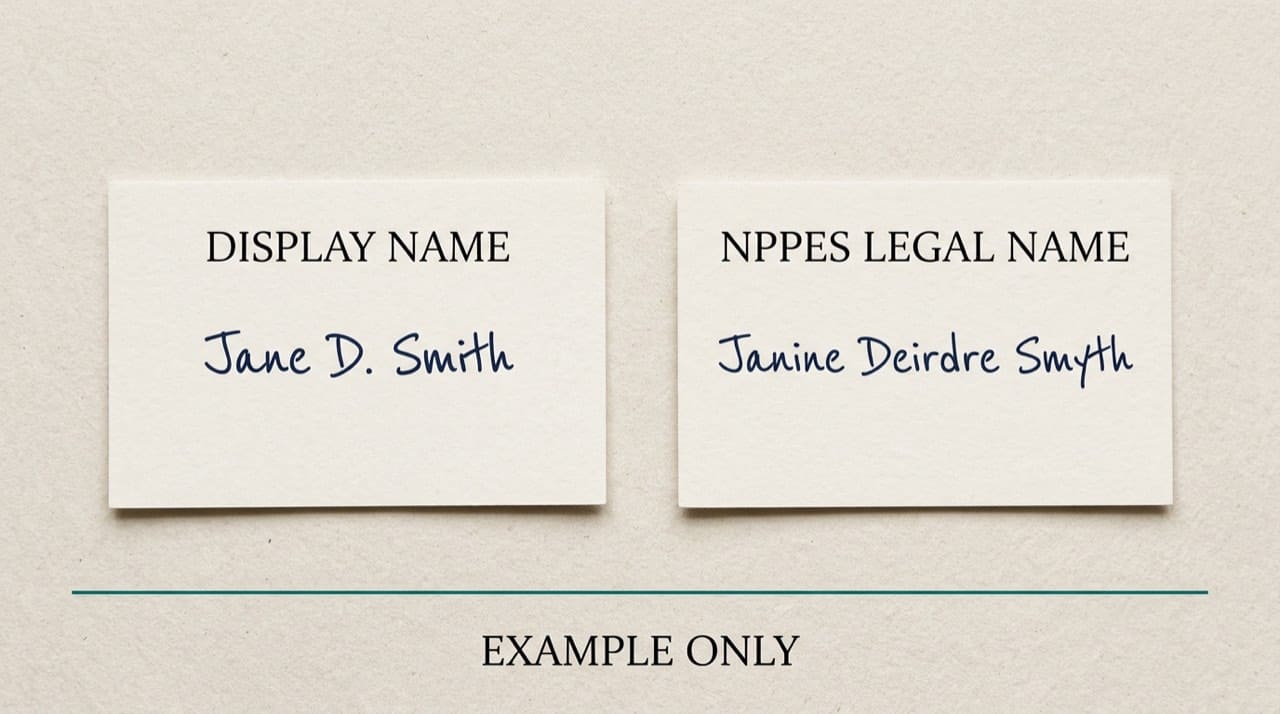
Because NPPES stores legal and administrative strings from enumeration, while staff and patients use nicknames, DBAs, and brands. Search matches characters on the row, not what everyone says out loud in the hallway.
Your job is to align paperwork and software with the authoritative string, not to argue with the index. When compliance requires proof, pull the row on the official NPPES NPI Registry search and save a dated artifact. Context: CMS NPI overview.
Organizations after mergers
Parent companies, new legal shells, and deactivated old NPIs confuse search when everyone still says the old hospital nickname. Use enrollment and remittance strings to learn which legal name the payer recognizes, then map it to the live row.
If two humans share a city and specialty, add ZIP, taxonomy, or organization NPI before you merge identities. Never merge on a hunch.
Software normalization versus legal strings
CRM tools that uppercase, strip punctuation, or collapse spaces help fuzzy search until you must paste an exact legal string into a government form. Keep a verbatim NPPES field for compliance copies separate from patient-friendly display labels.
When HR and billing disagree, compare both to the official registry on the same date and record who checked.
Type 1 and Type 2 naming on the same campus
Groups often have a friendly brand on signage while the Type 2 row carries a longer legal string. Individuals still have their own Type 1 rows. If you are staring at two plausible hits for "City Orthopedics," confirm whether you need the person or the entity before you bind data. For the core split, read Type 1 vs Type 2 NPI explained.
Sound-alike names and phone intake
Audio intake creates duplicate spellings that both sound plausible. Search both variants and let address plus taxonomy break the tie instead of arguing with the caller mid-call. Document which spelling matched NPPES when you close the chart.
Taxonomy as a disambiguator
When two physicians share a city and a common surname, taxonomy codes describe administrative provider type on the public row. If you are new to those labels, skim understanding NPI taxonomy codes before you guess from job titles alone.
Quarterly reconciliation for high-volume panels
Billing teams with heavy panels should schedule a periodic pass that compares your master file to a fresh registry pull for top billers. Drift shows up as mismatched legal strings long before anyone notices a denial spike. Capture "NPPES verified on [date]" in your PM system when you update.
Credentialing language
Packets that ask for "legal name as listed on NPPES" exist because committees tired of nickname drift. Fix the packet header instead of asking analysts to improvise.
Related guides and this site
Walk the broader zero-hit checklist in troubleshooting NPI lookup not found. For lookup technique, use how to look up a provider's NPI.
We’re independent from CMS. Read the Disclaimer; try NPIPublicData.org beside CMS when coaching new staff. For who we are, see About us. Quick answers: FAQ.
International names and transliteration
Passport spelling, visa paperwork, and everyday romanization do not always match character for character. Pick one authoritative document for data entry when you onboard and note alternate romanizations in internal comments while you wait for an authorized NPPES update. Fighting over which transliteration "feels right" wastes time if neither string appears on the row yet.
Marketing copy versus billing headers
Websites often shorten names for readability. Claims and enrollment packets usually need the legal string the payer expects. When marketing refreshes copy without telling revenue cycle, search teams see "helpful" new text that no longer matches NPPES. A short internal mapping table prevents that drift.
If someone pastes a payer "provider ID" into a field labeled NPI, you get a different class of mismatch. For how those columns differ, read NPI vs other provider IDs.
Practical next steps
For each stubborn name, write three variants (legal first and last, one alternate spelling), run them on CMS, circle the row that matches address and taxonomy, and push that canonical string to scheduling and billing the same week.
Store NPI as the join key between modules; treat display names as mutable labels. Publish an internal line that maps friendly brands to legal strings and NPIs per location.
Photograph insurance cards and enrollment letters when patients allow it; audio-only spelling over the phone is a top source of permanent typos. When two spellings could fit what you heard, search both and document which one NPPES confirmed.