Do sole proprietors need two NPIs?
Sometimes yes. A sole proprietor who meets CMS enumeration rules may hold a Type 1 NPI as an individual provider and also a Type 2 NPI for a legal business entity when billing or enrollment runs under an organization name. The two numbers are not interchangeable on every HIPAA transaction: software and payers expect the correct ten-digit value in each role (rendering, billing, and so on) per the implementation guide and your contracts. For filing rules, use CMS’s NPI overview—it links the official NPI Enumeration guidance PDF plus current bulletins. Prefer that hub over a direct /files/document/ PDF URL, which sometimes returns “Access Denied” depending on network and CDN rules.
If a payer portal rejected a claim, the fix is rarely "pick whichever NPI you like." It is "match the role on the claim to the number NPPES assigned for that role, then match what your contract says."
What "embedded" often means in billing talk
People in revenue cycle say an NPI is "embedded" when it sits in a defined data element on a standard electronic transaction. The exact loop or segment depends on whether you are looking at an 837 professional claim, an institutional file, or another HIPAA transaction. The idea is the same: the system expects a ten-digit value where the implementation guide places it.
For a sole proprietor, the rendering provider NPI might be the Type 1 while the billing provider NPI might be the Type 2, or the pattern may differ based on enrollment and payer mapping. Guessing from a coffee-shop conversation is a fast path to denials you will chase for weeks.
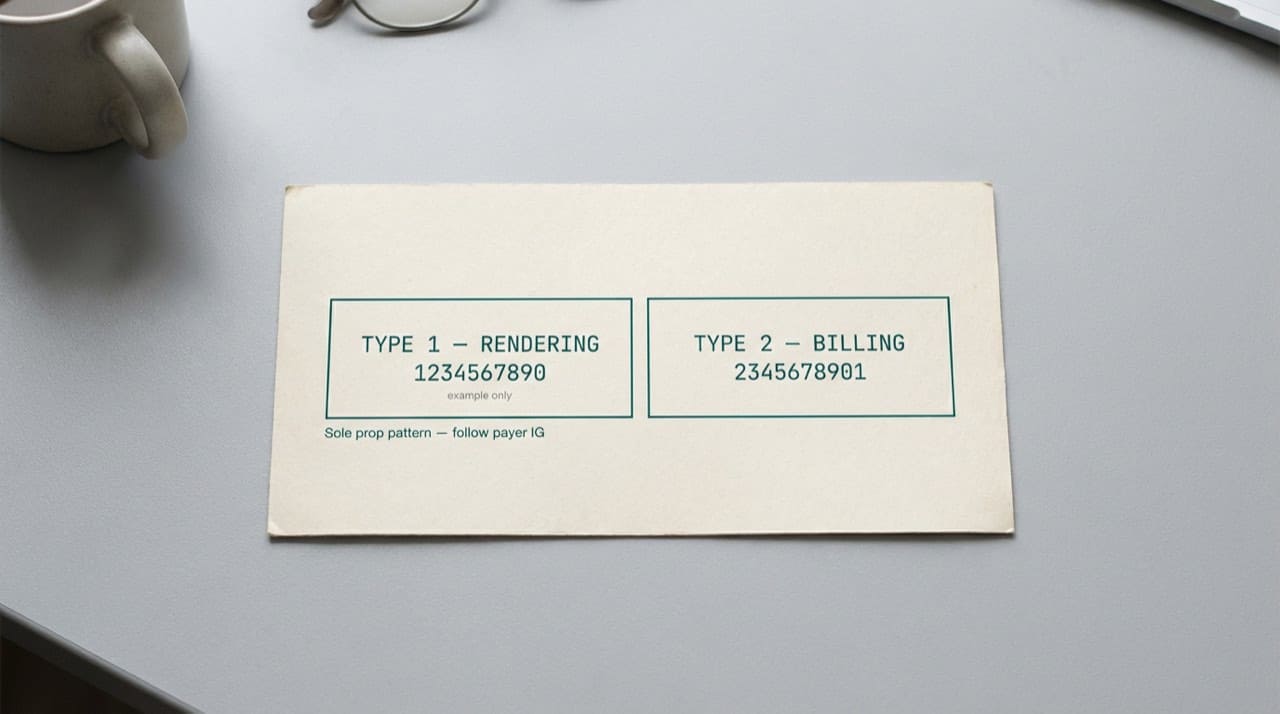
How Type 1 and Type 2 differ in plain terms
Type 1 ties to a single human being who qualifies as a health care provider under the rules. Type 2 ties to an organization: the incorporated group, the PLLC, the clinic legal name on a W-9, or another enumerated entity. A sole prop can legitimately have both when structure and billing call for it.
If you are onboarding at a hospital or joining a larger group, credentialing may ask for one number first and enrollment may ask for another. That friction is normal, not proof that NPPES "made a mistake." Keep a short cheat sheet for which payer wants which NPI in which field, and refresh it when contracts change. For the core split, read Type 1 vs Type 2 NPI explained.
Common mix-ups that create claim edits
Swapping billing and rendering NPIs is a classic error when two numbers exist. Another is using the Type 2 everywhere because the letterhead shows the practice name, even when the implementation guide for that scenario expects the individual identifier in a specific position. Read clearinghouse error text literally.
Locum tenens, moonlighting, and subcontracted services add more ways to mis-map roles. The NPI on the claim should reflect who performed the service and who has the financial relationship the payer recognizes, not who you wish had signed the check.
Where public lookup helps (and where it stops)
Public NPPES data shows the enumeration record: legal business name, practice addresses, taxonomy codes, and status fields. It does not replace your payer's provider relations desk when a contract is silent. It also does not prove you picked the right NPI slot on a claim; that is still billing policy plus the transaction guide.
NPIPublicData.org is not a government site. Use our tools as a quick scan of what the public file shows, then confirm anything that affects money on the official NPPES NPI Registry search.
Updating records when the business changes
If you incorporated, merged, or moved your billing entity, authorized users should update NPPES so payer directories and clearinghouse edits see consistent names and addresses. Lag between your internal rebrand and the public record causes more "not found" calls than most teams expect.
Train front-desk staff to read the legal name from the card patients hand over, not from memory of what everyone calls the doctor. Spelling drift between the chart, the NPPES row, and the insurance card is a top reason searches feel harder than they should.
Revalidation, leases, and who signs the NPPES attestation
CMS expects enumerated providers to keep core facts current through the revalidation cycle. A sole proprietor who ignores those notices can end up with a stale address on the public record while patients already know the new suite number.
Only authorized users should change NPPES. If you are the physician owner, that might be you. If you delegated to a billing company, your contract should say who clicks submit and how you review changes before they go live.
Subleases, co-working suites, and shared TIN stories
Shared space arrangements confuse people because the signage shows one brand while the tax identification on claims might point elsewhere. Your NPI still has to line up with who enrolled and who the payer expects in each role.
Medicaid and commercial payer IDs, PTANs, and license numbers ride alongside the NPI in real workflows. Mixing those labels during training creates staff who looked up the wrong number even though the NPI itself was fine.
Related reading on our site
If the NPI itself is still fuzzy, read what an NPI number is first. For official change channels, see contacting CMS / NPPES for official changes.
Short answers live in our FAQ. When you are ready to search mirrored public data, start from NPIPublicData.org and compare to CMS before high-stakes decisions.
Practical next steps
Pull both NPIs you believe apply, open each row on the official registry search, and write down legal names and taxonomy codes next to the payer fields on a sample claim. Send a test if your workflow allows, or ask your clearinghouse to pre-validate before you batch live charges. For how we present data, read the Disclaimer. For a bug on our site, contact us with a screenshot and NPI so we can reproduce.