
Do group practices and clinics need a Type 2 NPI plus individual Type 1 NPIs?
In the usual incorporated group model, yes: the organization that enrolls and contracts as a legal entity typically carries a Type 2 NPI, while individual clinicians who are enumerated as providers usually keep their own Type 1 NPIs for rendering and identity. Your payer contracts, tax structure, and claim layout still decide which number belongs in which loop, so use this as a pattern, not a one-line rule for every edge case.
Confirm legal names, practice location, taxonomy, and public status on the NPPES NPI Registry search. CMS enumeration context: CMS NPI overview. How public files and registry refreshes are described: Data Dissemination.
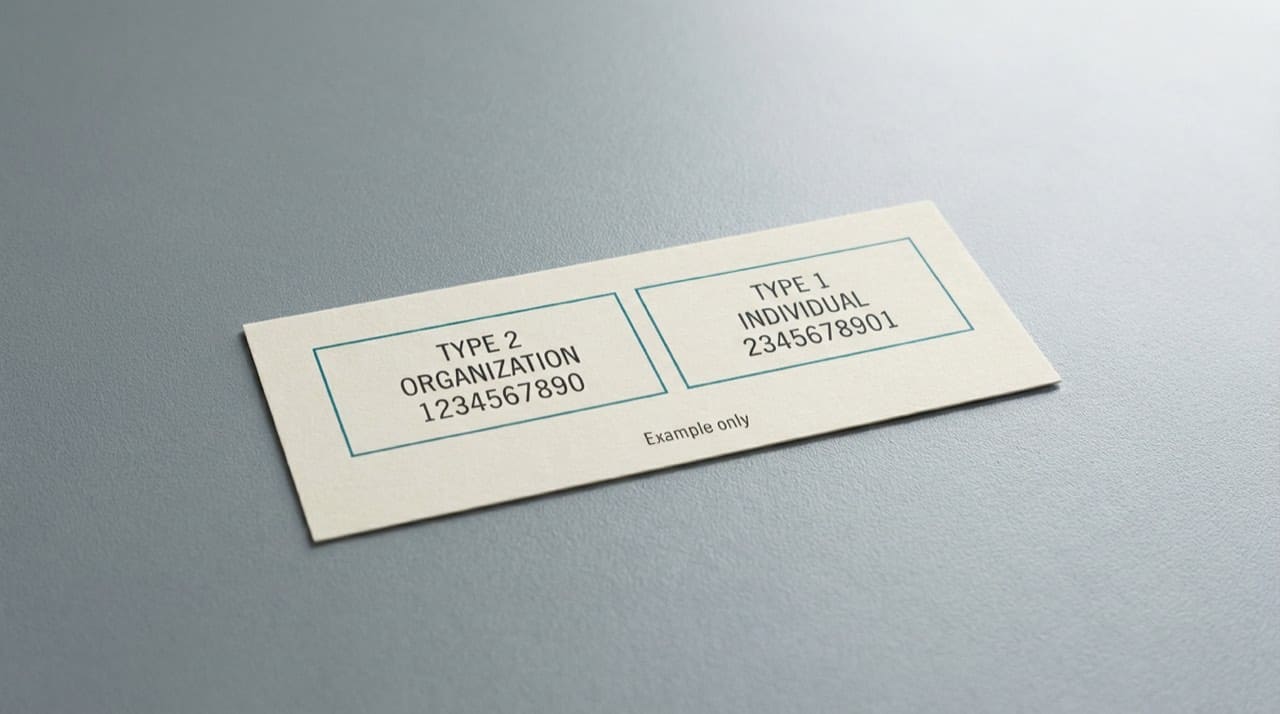
Why "the group's NPI" is a phrase that needs a follow-up question
When someone says those three words, ask whether they mean the Type 2 on the facility contract, a specific clinician's Type 1, or a payer-assigned ID from an old portal. Billing, credentialing, and marketing use the same vocabulary for different columns. Five minutes of clarification prevents weeks of reversed digits on templates.
For the core Type 1 versus Type 2 story, read Type 1 vs Type 2 NPI explained. For how many numbers one career can accumulate, see how many NPIs a provider can have.
Credentialing, enrollment, and the shared spreadsheet habit
Hospital privilege packets and payer portals often want both the group Type 2 row and each applicant's Type 1 row, plus tax identifiers and addresses that must match what each system expects. Keep a living sheet with legal name as enumerated, NPI, last verification date, and who signed off. Future auditors care about dates and sources, not font choice.
For a workflow-shaped checklist beyond NPI alone, use credentialing and NPI verification workflows. Medicare enrollment timing is a separate thread from enumeration; see NPI and Medicare enrollment basics.
Taxonomy codes on the organization record
Taxonomy rows describe provider type for administrative purposes. A multi-specialty group may list more than one code under the same legal entity. Billers lean on those labels when a payer argues a claim does not match an enrolled specialty bucket. If the vocabulary feels opaque, start with understanding NPI taxonomy codes.
When public addresses drift from real-world operations
Practice location and mailing address on the NPPES row answer administrative directory questions. They are not a live map of which suite is seeing patients after a lease change unless someone updates NPPES. Coordinate marketing collateral with whoever owns NPPES edits. For field semantics, read practice location vs mailing address on an NPI record.
Third-party directories versus CMS
Mirrors and vendor tools can lag or abbreviate text. When compliance asks for proof, show the government search result with a date stamp, not only a screenshot from a commercial skin. Our Disclaimer explains how independent sites relate to CMS data.
After acquisitions, rebrands, and "we merged three PDFs"
Finance, credentialing, and marketing rarely update the same week. That is how three different Type 2 numbers survive in active mail-merge templates. Run a deliberate consolidation project after close: export your authoritative rows from NPPES, reconcile contracts, then delete obsolete strings from macros before the next open enrollment season. If you need official change channels rather than guesswork, start with contacting CMS and NPPES for official changes.
Seasonal staffing and the brochure problem
Summer interns refresh flyers. Fall hiring floods HR with packets. Each wave is a chance for an old group NPI to resurrect. Add one calendar reminder after tax season to revalidate printed materials against the live registry. When leadership asks whether one NPI can serve every scenario forever, translate the question into payer rules and licensing facts, not into a slogan.
Monday morning workflow: which NPI goes where
A credentialing coordinator opening the week often has three tickets that all say "group NPI" but mean different things. Walk this pattern once, then teach it to temps:
- Contract packet: Confirm the Type 2 legal name and address match the payer enrollment screen before you send privilege paperwork.
- Claim template: Ask billing which Type 2 prints in the billing loop and which Type 1 prints for rendering on your top three payers. Write the answer in one shared note, not in Slack.
- Directory listing: Marketing may show a DBA that never appears in NPPES. Keep patient-facing copy and the registry row linked by date so call-center staff are not guessing.
If a payer rejects a claim for "billing provider not enrolled," do not start by changing the clinician's Type 1. First prove the Type 2 on the claim matches the entity enrolled with that payer. That single check cuts many false NPPES correction tickets.
Common mistakes in multi-site groups
- One Type 2 for every location forever: Some organizations enumerate more than one Type 2 when legal entities or billing arrangements differ. Copying the "main clinic" number onto a satellite claim can fail enrollment checks even when the clinician is correct.
- Using a supervisor's Type 1 as the group number: Supervising clinicians have Type 1 IDs. The organization still needs its Type 2 when the contract is with the entity.
- Updating letterhead before NPPES: Rebrands that hit the website first leave payers and the registry out of sync. Update NPPES, then push outward.
- Assuming taxonomy on the Type 2 covers every clinician: Individual Type 1 taxonomy rows still matter for specialty-driven edits. See understanding NPI taxonomy codes.
If you are a practice manager versus a biller
Practice managers own the living spreadsheet: legal name, Type 2, each clinician Type 1, last CMS check date, and who may edit NPPES. Billers own the claim loops and denial tags. When both roles use the same dated CMS screenshot, you stop arguing about which PDF is "current." Use our free NPI lookup for a quick scan, then confirm on the official registry before you close a compliance ticket.
Practical next steps for clinic leadership
Pull your Type 2 NPI and compare legal name, practice location, and mailing address to your top payers' profiles. Fix NPPES first, then push updates outward. Schedule a short huddle with billing, credentialing, and IT: agree which NPI prints on which template and who owns NPPES maintenance. When data is wrong on our site after you have refreshed CMS, use Contact us with URLs and timestamps. Quick site-policy questions may already sit in the FAQ.